Supporting article: Local SEO for Indonesian Businesses
A local SEO ranking drop often triggers panic edits: new category, new name, new website, all on the same day. The data gets messy and the root cause stays hidden. This guide shows how to diagnose a local SEO ranking drop: define the symptom, compare a baseline, separate Maps from organic, then fix one cause group. For a full baseline, use the local SEO audit. For profile execution, follow how to optimize Google Business Profile.
Measure before you change anything
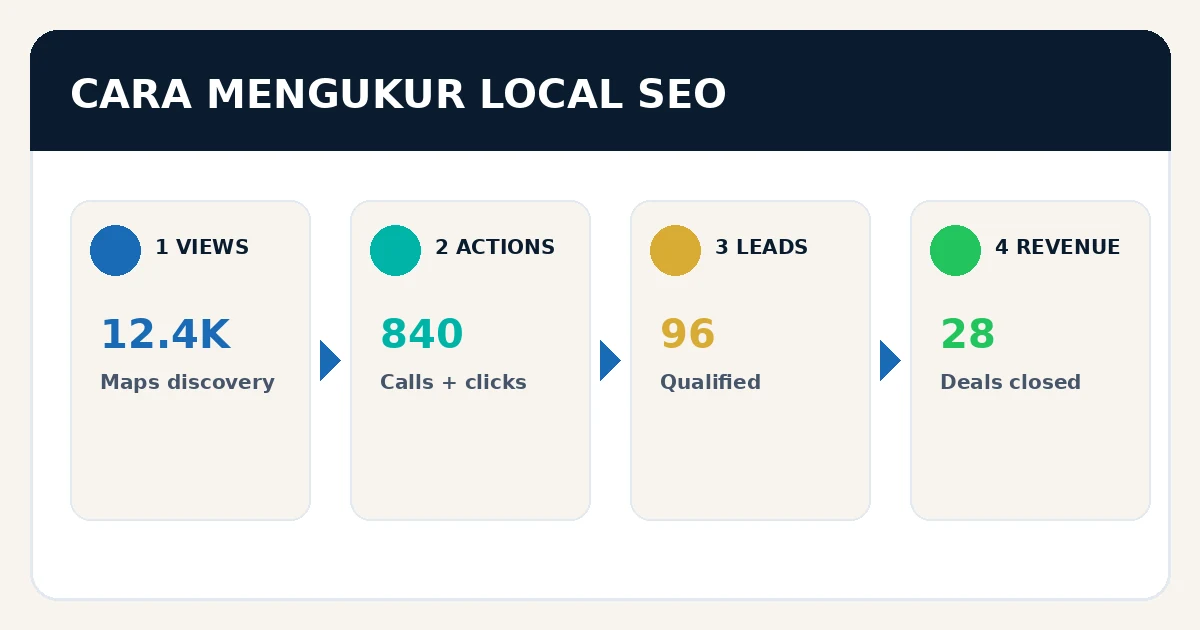
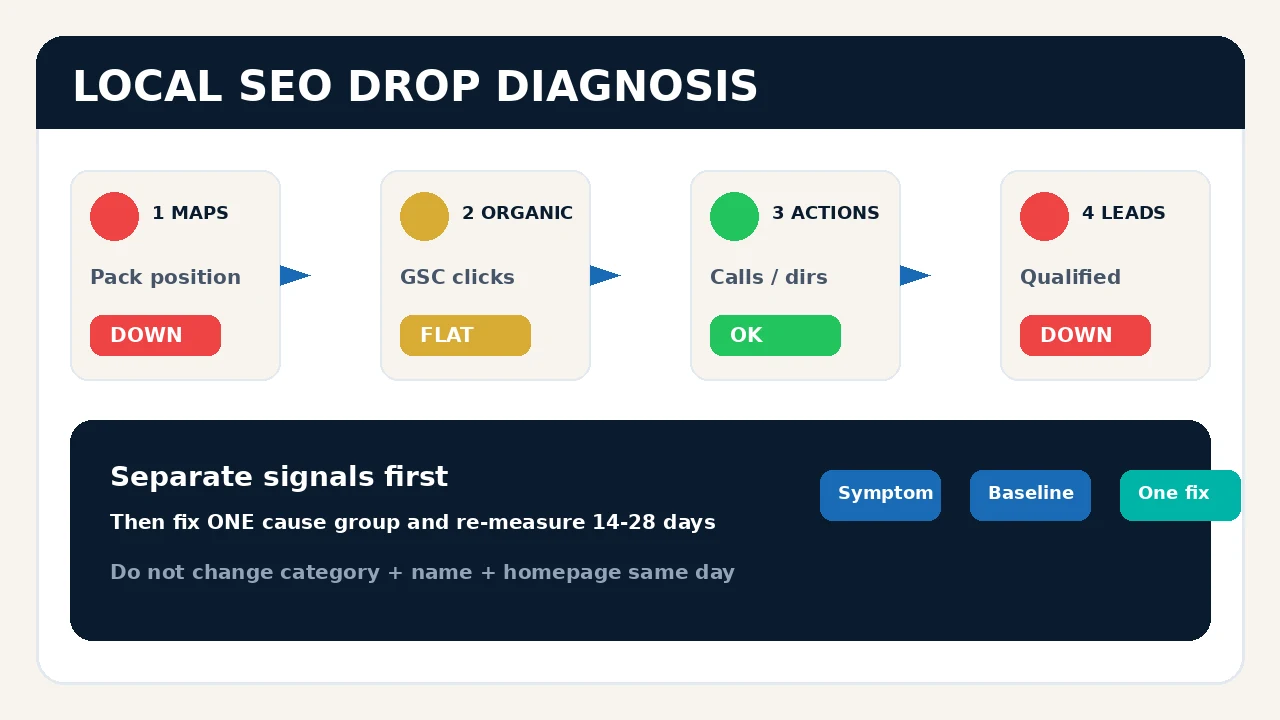
One ranking screenshot from the office is not a diagnosis. Local results change by searcher location, device, personalization, seasonality, and competitors. Google says local ranking depends on relevance, distance, and prominence; it cannot be bought. When numbers fall, separate the signals first. Use how to measure local SEO to establish a Maps, organic, actions, and leads baseline.
- What dropped? Maps position, organic, views, calls, directions, website clicks, forms, or leads?
- Where? Every area, one district, one branch, or one device?
- Since when? The start date of the drop and nearby business changes.
- Did leads drop too? Rankings down with stable leads need different work than leads down with stable rankings.
Six symptom patterns and first checks
Use this table before touching categories, names, or redesigns.
| Symptom | Likely cause | First check |
|---|---|---|
| Profile gone for every query | Suspension, verification, major edit, duplicate | Profile status, owner email, Search/Maps |
| Drop only in part of the area | Distance, new competitor, weaker coverage | Grid by point and competitor changes |
| Maps stable, organic down | Index, intent, content, technical, links | GSC page/query, crawl, SERP |
| Views stable, actions down | Hours, phone, reviews, CTA, seasonality | Operating data and landing page |
| Leads down, rankings stable | Broken tracking, weak queries, slow sales | GA4, call logs, CRM, response time |
| One branch up, another down | Cannibalization or mixed location data | URL, canonical, profile, NAP, internal links |
An 8-step diagnosis workflow
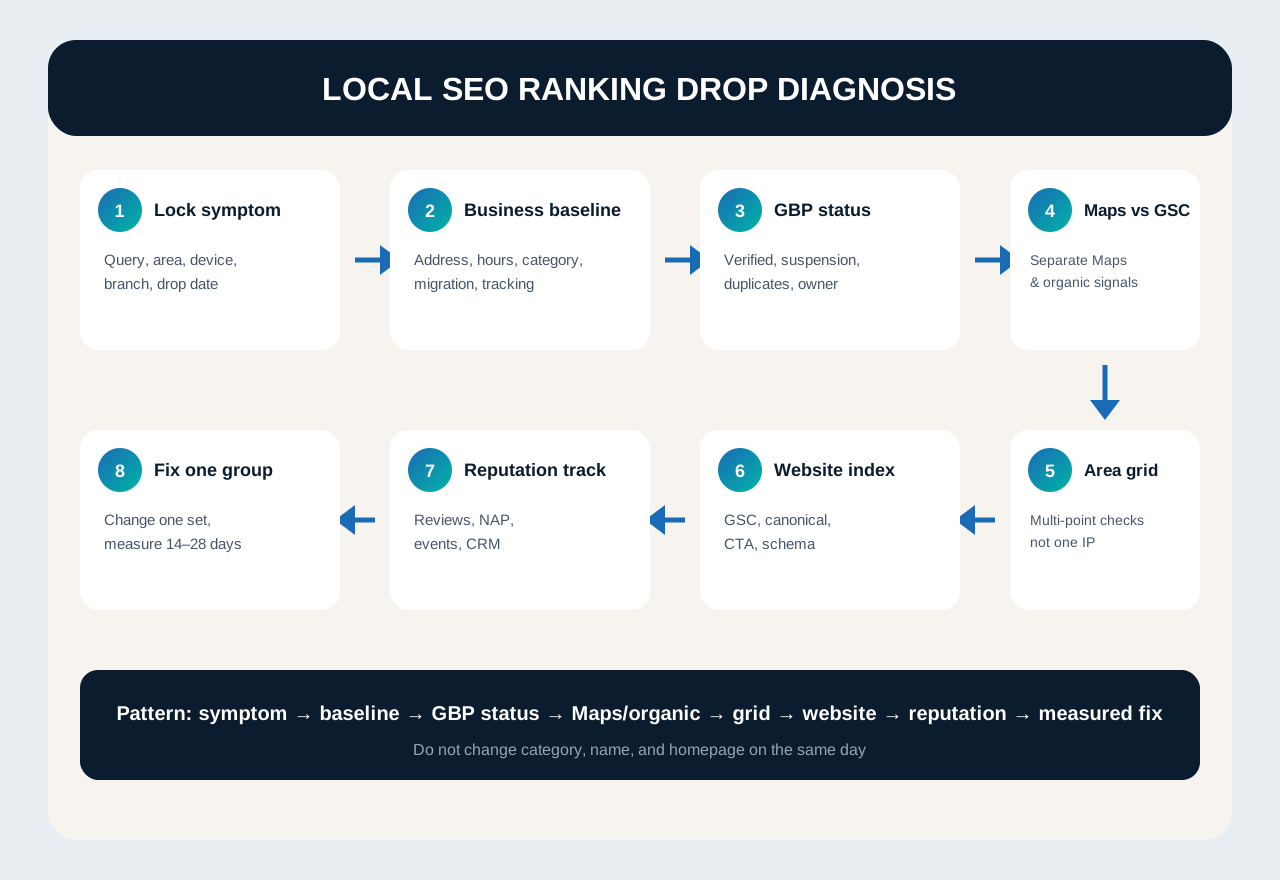
1. Lock the symptom and timeline
Record query, area, device, branch, and the date the drop started. Compare 7, 28, and 90 days. For seasonal businesses, also compare the same period last year.
2. Compare the business baseline
Open the change log: relocation, rebrand, hours, categories, site migration, phone number, call tracking, promos, or holidays. Many “SEO drops” start as operational data changes.
3. Check Google Business Profile status
Confirm the profile is still verified, not suspended, and free of duplicate listings. Read owner emails. Check name, category, address or service area, phone, website, and hours. Do not edit many fields before you know which field is broken.
4. Separate Maps and organic
Maps down but GSC stable? Focus on the profile, reviews, and coverage. Organic down but Maps stable? Focus on indexation, content, internal links, and technical health. Both down? Check NAP, brand signals, or competitors winning both surfaces.
5. Audit coverage grid, not one IP
Check 5–10 priority queries from several points in the service area, not only the office. Log competitors that rose at the same points. One screenshot from one location misleads.
6. Check the website and indexation
Open the service or location URL that should win. Test it in Search Console: index, canonical, noindex, redirects, 404s, mobile, CTAs, and schema. Google’s search traffic drop debugging guide uses the same pattern: compare queries/pages, inspect filters, then isolate causes.
7. Check reputation, citations, and tracking
Review spam, a sharp rating drop, dead replies, inconsistent NAP, or broken event tracking can make rankings look fine while leads collapse. Clean the data with citations and NAP consistency and an ethical review workflow.
8. Fix one group, then re-measure
Change one related group of issues, log the date, assign an owner, then measure for 14–28 days. Do not redesign the profile, change categories, rewrite the homepage, and buy citations on the same day.
A 45-minute panic checklist
- Screenshot the map pack for 5 priority queries from 2 points.
- Export the last 28 days of GBP performance.
- Export 28 days of GSC queries and pages.
- Check verification status, owner email, and duplicate profiles.
- Test phone, hours, website, and form/WhatsApp paths.
- Open the 3 key service/location URLs in URL Inspection.
- Compare the 5 competitors that actually appear, not sales favorites.
- Log all business changes from the last 60 days.
- Pick the top 1–3 fixes.
- Schedule a 14-day re-check.
Common mistakes
- Stuffing keywords into the business name because competitors do it.
- Creating a new profile while the old one is suspended.
- Changing 10 GBP fields without a baseline.
- Judging rankings from one laptop search at the office.
- Ignoring tracking, then claiming “SEO is dead” when forms are broken.
- Treating a seasonal drop as a penalty.
When you need a full audit, not firefighting
If profile status is unclear, branches cannibalize each other, NAP is broken across platforms, or the lead path is unmeasured, stop firefighting. Run a full local SEO audit, then put fixes into a 30–90 day backlog.
Conclusion
A local SEO ranking drop needs a pattern, not guesswork. Lock the symptom, separate Maps/organic/actions/leads, check operational changes, then fix one cause group. Once stable, keep the rhythm with the Local SEO guide.
Need a diagnosis that becomes an execution backlog? See LINC digital marketing services or contact the team.