Supporting article for the main guide: Local SEO for Indonesian Businesses: Complete 2026 Guide
Reviews on Google Business Profile help prospective customers evaluate a business before they call or visit. Review volume is not a reason to take shortcuts. This guide covers how to get Google reviews ethically: when to ask, how to ask, what is prohibited, how to reply, and how to turn feedback into operational improvement. The broader local SEO strategy lives in the Local SEO guide for Indonesian businesses; profile fundamentals are in how to optimize Google Business Profile.
Why reviews matter, but should not be manipulated
Reviews influence trust. Prospective customers read other people’s experiences, check whether the business responds, and decide whether a phone number or Maps route is worth the click. Reviews can also contribute to local prominence, but Google’s principle is simple: contributions must reflect a genuine experience.
That means a healthy review system looks more like a customer-service process than a “5-star campaign.” You want a steady stream of honest feedback, not a spike of fake reviews that risk removal or damage the profile.
What Google prohibits
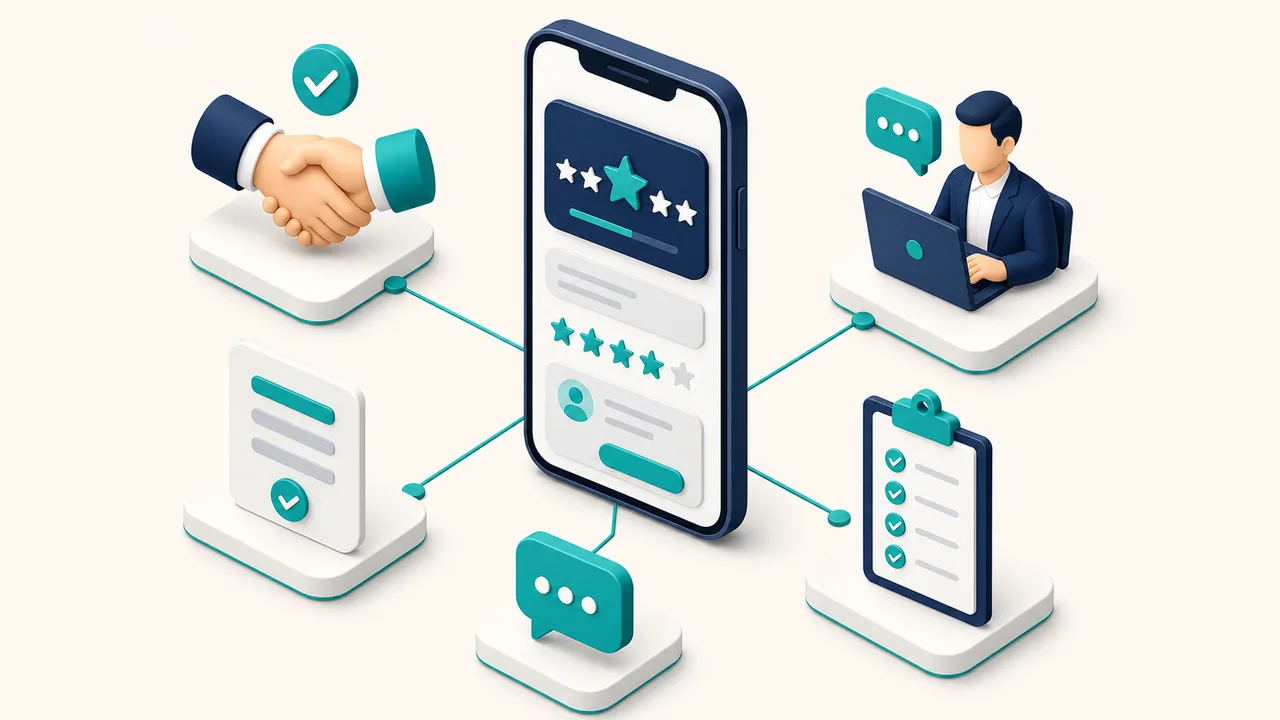
Before building a workflow, lock the boundaries. Google treats incentives for posting, changing, or removing reviews as fake and misleading content. The same policies reject reviews that do not come from real experiences, paid reviews, and manipulated engagement patterns.
- Offering discounts, free goods, prize draws, or commissions in exchange for a review.
- Offering benefits to change or remove a negative review.
- Sending only happy customers to the public review form (review gating).
- Writing reviews for customers, using staff accounts, or buying reviews.
- Asking friends, vendors, or people without a real experience to leave a rating.
If sales, cashiers, or technicians still say “leave 5 stars and get a discount,” stop first. Fix internal scripts and incentives before increasing review requests.
A safe review workflow
These eight steps cover single-location and multi-branch local businesses.
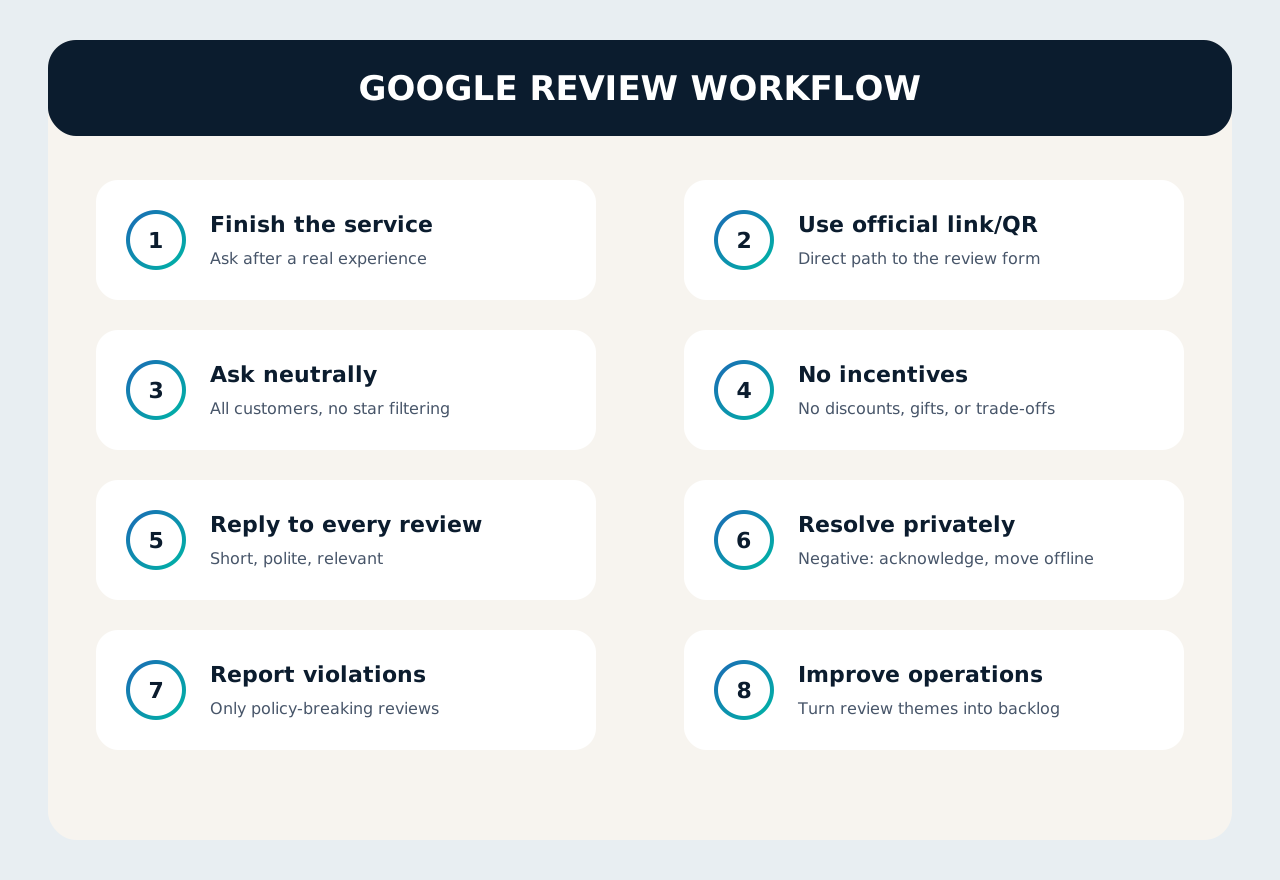
1. Finish the service first
Ask after a real experience is complete: installation finished, order delivered, consultation closed, or service call resolved. Asking before the service ends often feels forced.
2. Prepare the official link or QR
Use the official link or QR code that goes to the profile review form. Put it on invoices, after-service cards, WhatsApp templates, or the cashier display. Do not ask customers to “search the business name on Maps” with no link.
3. Ask neutrally
A safe script: “If you’re willing, please share your experience through this link.” Avoid “please leave 5 stars.” Ask all relevant customers, not only those who look happy.
4. Ban incentives
No gifts, prize draws, discounts, cashback, or review trade-offs. If you run referral or loyalty programs, keep them separate from Google review requests.
5. Reply to reviews
Public replies show that the business reads feedback. Google recommends replies that are professional, short, relevant, and not empty templates.
6. Resolve issues on a private channel
For a negative review, acknowledge the experience publicly, protect private details, then invite follow-up via WhatsApp, phone, or email. Do not debate at length on the public page.
7. Report violations, not disagreement
Reviews that break policy can be reported. Reviews that are merely negative or disliked usually stay. Google does not mediate business–customer conflicts.
8. Turn review themes into backlog
If customers repeatedly mention parking, speed, cleanliness, or communication, move that into operations, the website, and profile materials. Reviews are most useful when they improve the business, not only the rating.
When to ask for a review
Timing shapes request quality.
| Business type | Best moment | Channel |
|---|---|---|
| Clinic / professional services | After the session ends and a short follow-up | WhatsApp, email, reception QR |
| Retail / F&B | After payment or order pickup | Cashier QR, receipt, order chat |
| On-site service | After the technician finishes and the customer checks the result | Technician WhatsApp, handover form |
| B2B project | After go-live or accepted milestone | Account manager email |
How to reply without sounding robotic
Good replies do not need to be long. Cover this:
- Thank positive reviewers and mention a specific detail when available.
- Acknowledge negative experiences without attacking the customer.
- Offer a private path for resolution instead of a public argument.
- Never expose private customer data in the reply.
- Avoid the same copy-paste template on every review.
Multi-branch: ownership and SLA
Multi-location businesses often fail on ownership. Who replies? Within how many hours? Who escalates serious reviews?
Set a simple SLA: reply to new reviews within 24–48 business hours, escalate serious complaints to the branch manager, and log monthly themes. Make sure each branch has access to the correct profile and consistent NAP data—see also the citations and NAP consistency guide.
A 30-minute checklist to start today
- Get the official Google Business Profile review link or QR.
- Write a neutral request script for WhatsApp, email, or the cashier.
- Remove every review-related incentive from SOPs.
- Assign a reply owner and SLA target.
- Create adaptable positive and negative reply templates.
- Schedule a weekly review: feedback themes + operational issues.
Conclusion
Getting Google reviews ethically is not about fishing for stars. It is about building a process: ask neutrally, never incentivize, reply like a human, and improve operations from the feedback. That is slower than buying reviews, but safer and more useful for customers. For the full local SEO framework, return to the Local SEO guide for Indonesian businesses.
Need help cleaning up local SEO foundations, Google Business Profile, and review operations? See LINC’s SEO services or contact our team.